Desktop macOS
Do I have Apple Silicon or Intel?
If you're using a Mac and you're not sure whether it's an Intel or Apple Silicon Mac, you can check by clicking on the Apple logo in the top-left corner of your screen, then selecting "About This Mac." In the window that pops up, it will tell you which type of processor your Mac has. If you bought your Mac recently (after 2020), it's more likely to be an Apple Silicon Mac. If it's an older model, it's probably an Intel Mac.
The difference is: An Intel Mac is a type of computer made by Apple that uses processors (the brain of the computer) made by Intel, a company that specializes in making computer components. An Apple Silicon Mac is also a computer made by Apple, but it uses processors designed and developed by Apple itself, known as Apple Silicon chips.
Download page
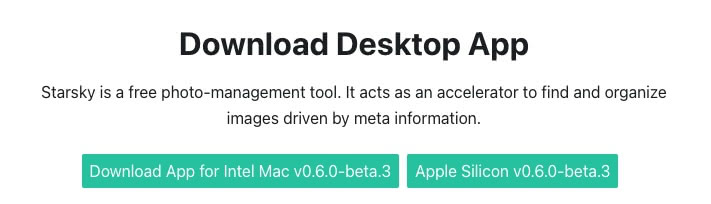
Click on the Apple Silicon or Intel option:
Op the dmg file from downloads:
starsky-mac-arm64-desktop.dmg- Apple Silicon Macsstarsky-mac-x64-desktop.dmg- Intel Macs

Installer step 2
Drag the Starsky App into Applications

Wait for the installer is done

Open Terminal
Do code signing yourself or and remove from quarantine with the following command:
codesign --force --deep -s - /Applications/Starsky.app && xattr -rd com.apple.quarantine /Applications/Starsky.app
You need to manually sign the code because we haven't purchased certificates from Apple
Installer is done
Click on Applications and open the App there
Note: Do NOT open the application inside the DMG file this does not work

It runs
See the First Steps in the Getting Started Guide for more info on how to setup the storage folder
MountWatcher (automatic SD card import)
The macOS desktop app includes optional support for MountWatcher — a background service that automatically imports photos when a camera SD card is connected.
To enable it, open the Starsky menu bar icon and choose MountWatcher → Enable MountWatcher. The menu shows the current service status each time it opens.
The preference is saved and survives restarts and automatic updates.
See the MountWatcher CLI feature page for full details on how MountWatcher works and its configuration options.

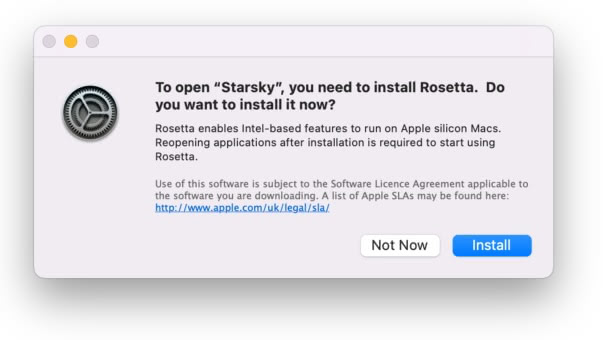
Error case: To open Starsky, you need to install Rosetta. Do you want to install it now?
Rosetta is used to translate Intel instructions into Apple Silicon instructions. You have properly downloaded the wrong version.
Op the dmg file from downloads:
starsky-mac-arm64-desktop.dmg- Apple Silicon Macs
The message looks like this: